
loss曲线
import torch
from torch.utils.tensorboard import SummaryWriter
device = torch.device("cuda" if torch.cuda.is_available() else "cpu")
print(f"Using device: {device}")

# 准备数据:100 条数据,3 个特征
inputs = torch.rand((100, 3))  # 0-1 之间的随机数
# 真实权重和偏置(用于生成 targets)
weights = torch.tensor([[1.1], [2.2], [3.3]])
bias = torch.tensor([4.4])
targets = inputs @ weights + bias + 0.1 * torch.rand((100, 1))
writer = SummaryWriter('logs')
# 初始化模型参数,启用梯度
w = torch.randn((3, 1), requires_grad=True, device=device)
b = torch.randn(1, requires_grad=True, device=device)
lr = 0.01  # 学习率
epoch = 1000  # 迭代次数

# 确保 inputs 和 targets 在同一设备上
inputs = inputs.to(device)
targets = targets.to(device)

for i in range(epoch):
    outputs = inputs @ w + b
    loss = torch.mean((outputs - targets) ** 2)  # 均方误差
    if i % 100 == 0:
        print(i, loss.item())
    writer.add_scalar('Loss/train', loss.item(), i)
    loss.backward()  # 反向传播,计算梯度
    with torch.no_grad():  # 关闭梯度计算
        w -= lr * w.grad  # 更新权重
        b -= lr * b.grad  # 更新偏置
        w.grad.zero_()  # 清零梯度
        b.grad.zero_()  # 清零梯度

print('预测的权重:', w)
print('预测的偏置:', b)
运行结果
Using device: cuda 0 76.64335632324219 100 0.26775017380714417 200 0.15393120050430298 300 0.1111958846449852 400 0.08052999526262283 500 0.05848121643066406 600 0.04260937497019768 700 0.0311687421053648 800 0.022910108789801598 900 0.016938935965299606 预测的权重: tensor([[1.4039], [2.0691], [3.4195]], device='cuda:0', requires_grad=True) 预测的偏置: tensor([4.2978], device='cuda:0', requires_grad=True)
如果我们需要查看训练记录,可以打开可视化面板。在终端中运行以下命令:
tensorboard --logdir=logs在浏览器中打开 http://localhost:6006/,即可看到训练的损失曲线: 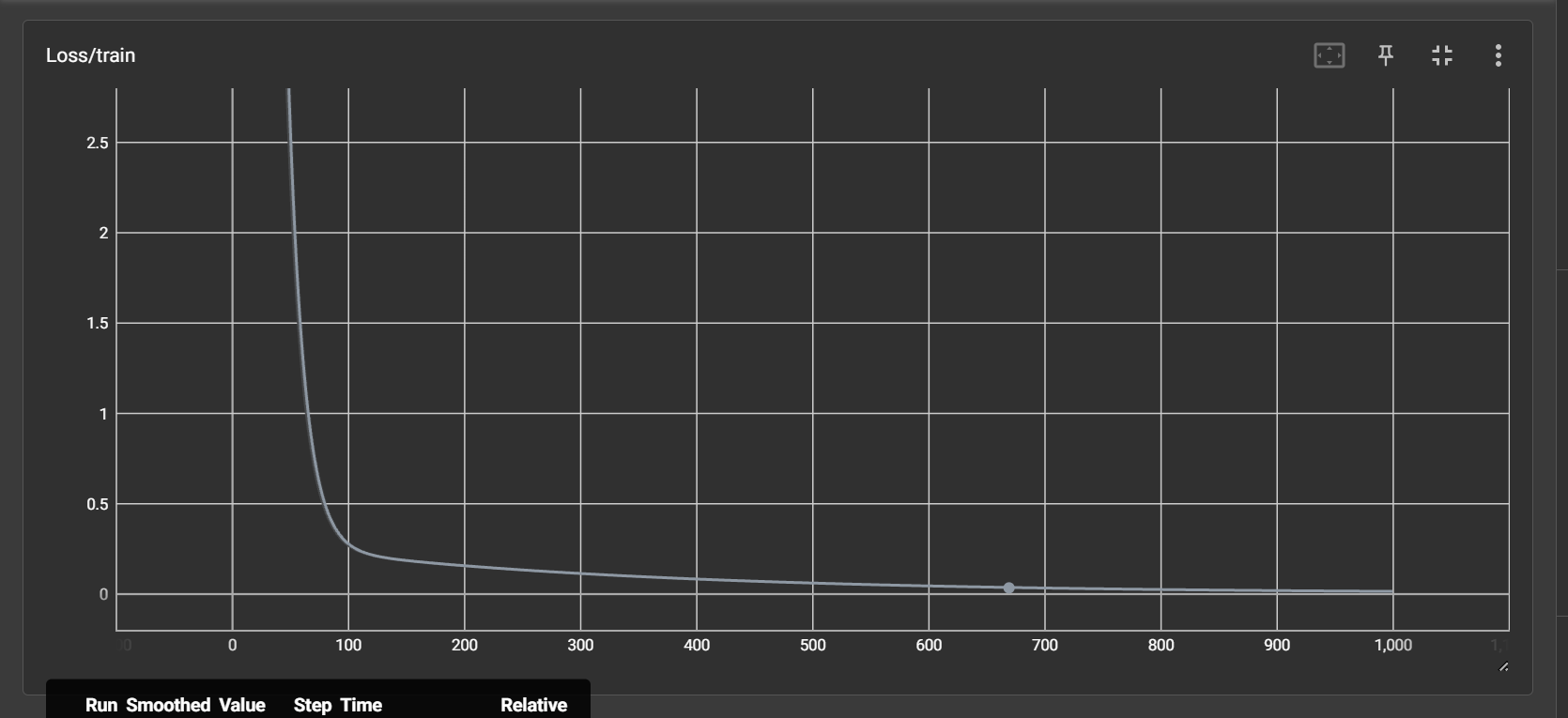
这是一段非常理想的训练曲线,损失值迅速下降并趋于稳定,说明模型训练效果良好。
但是在实际训练时不总是这样,如果在最后没有收敛,有可能
- 代码bug
- 学习率过大